Buying an email list lets you start cold outreach without delay.
It gives you contact data to reach prospects and open new conversations. But not every list is worth paying for.
Outdated or poorly sourced data can increase bounce rates and hurt deliverability.
That weakens campaign performance fast. The safer approach is to buy verified and compliant email lists from trusted providers.
In this guide, I break down the 11 best places to buy verified email lists in 2026.
You’ll see where to get verified data, how pricing compares, and what to watch before you export your first list.
Let’s start with a quick comparison.
TL;DR: 11 Best Places to Buy Email Lists in 2026
- Salesforge – Best if you want to send email and LinkedIn from one place.
- ZoomInfo – Good for large enterprise teams with big budgets.
- Apollo – Broad filtering and contact search suitable for growing sales teams.
- Cognism – Better fit if you care a lot about EU compliance.
- Saleshandy – Affordable way to build B2B lists.
- UpLead – Known for strong claimed accuracy.
- Lusha – Easy tool for quick contact lookups.
- RocketReach – Large database with work and personal emails.
- Lead411 – Includes intent data and phone numbers.
- Hunter.io – Best for finding emails by company domain.
- Snov – Ideal option for freelancers and small teams.
Here Are the Top 5 on Our List:
If you don’t want to review all 11 tools, these 5 stand out for most B2B teams:
- Salesforge
- ZoomInfo
- Apollo
- Cognism
- Saleshandy
Each one solves a different need. Here’s how they compare.
| Tool |
Best For |
Starter Pricing |
Credit Volume |
Multi-Channel Outreach |
Real-Time Verification |
| Salesforge |
Multi-channel outbound teams |
$48/month |
1,000 active contacts (Pro) |
Email + LinkedIn |
Email validation included |
| ZoomInfo |
Enterprise sales teams |
$14,995/year |
5,000 credits |
Email + enrichment |
Yes |
| Apollo |
Growing sales teams |
$49/month |
30,000/year (per user) |
Email + LinkedIn (plan-based) |
Yes |
| Cognism |
Compliance-heavy teams |
Custom pricing |
Custom |
Email-focused |
Yes |
| Saleshandy Lead Finder |
Budget-friendly list building |
$24/month |
12,000 credits |
Email-focused |
Yes |
1. Salesforge
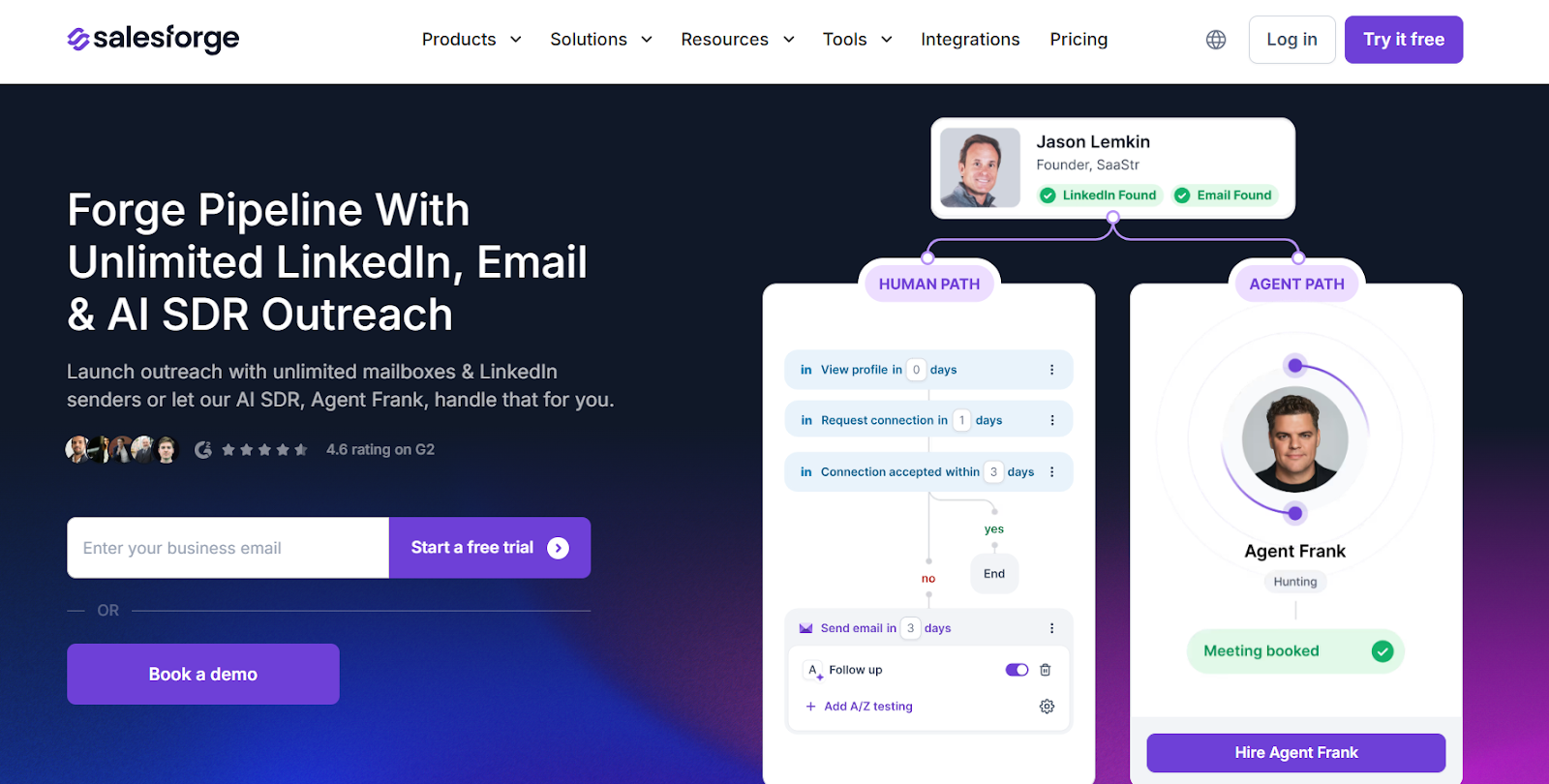
This image shows the Salesforge homepageSalesforge is a multi-channel cold outreach platform built for B2B teams that want to scale email and LinkedIn campaigns.
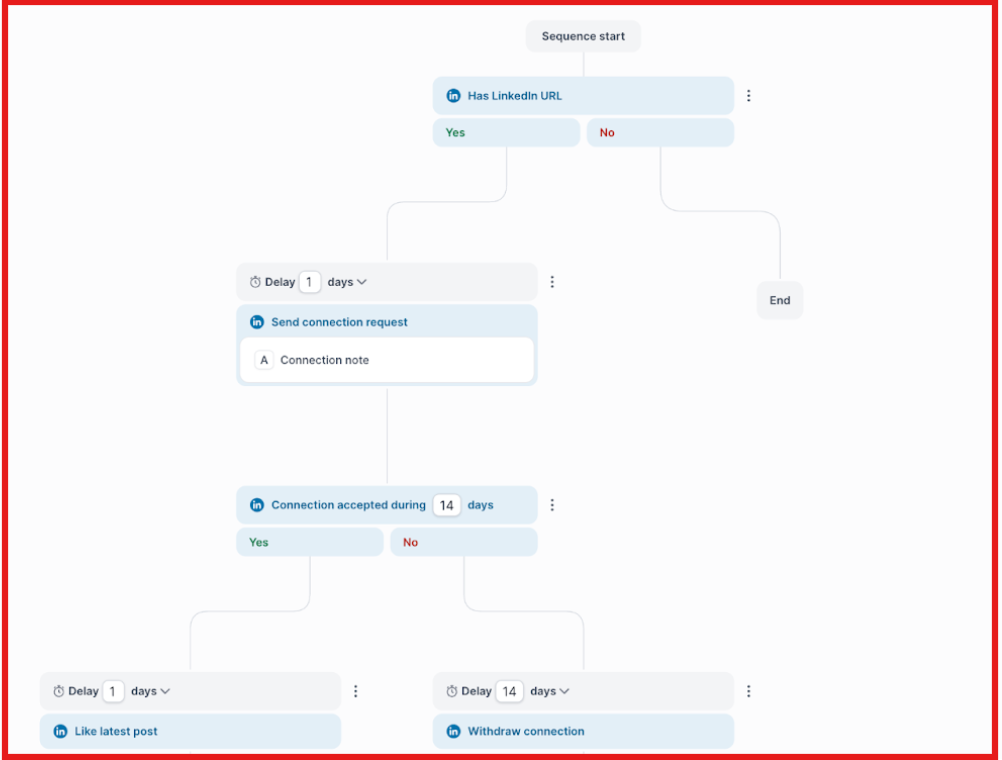
It allows me to connect unlimited mailboxes, build multi-channel sequences, manage replies inside Primebox™.
This image shows the Multichannel sequences on SalesforgeIt keeps deliverability healthy with built-in warm-up powered by Warmforge.
Salesforge is not a traditional bulk email list marketplace where you download a massive static database.
Instead, it’s an outreach platform.
If I want to generate new B2B contacts inside the Forge ecosystem, I use Leadsforge, which is sold separately.
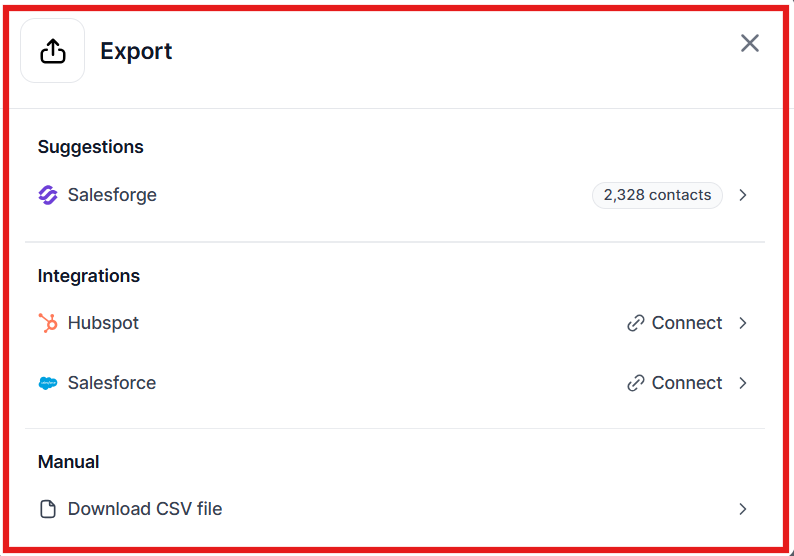
With Leadsforge, I can search 500M+ contacts, export lists as CSV, or push them directly into Salesforge campaigns.
Then I can validate emails and launch outreach from the same system.
For B2B teams, this setup combines list building and outreach in one workflow instead of buying a static list.
How to Buy & Export Email Lists
Option 1: Use Leadsforge (Add-On)
Leadsforge is a separate product in the Forge stack.
It allows you to:
- Search 500M+ B2B contacts
- Describe your ICP in natural language
- Get emails, LinkedIn profiles, phone numbers
This image shows the Get emails, linkedin profiles, phone numbers and other details on Leadsforge- Use waterfall enrichment
- Export as CSV
- Push directly into Salesforge
This image shows the Export to SalesforgeLeadsforge pricing starts at $49/month (2,000 export credits).
Option 2: Upload Your Own List
You can import contacts via CSV, connect Google Sheets, or add contacts manually.
After upload, you can:
- Validate emails (using validation credits)
- Personalize messages
- Launch campaigns
You can export contact data as CSV if needed.
Salesforge Pricing
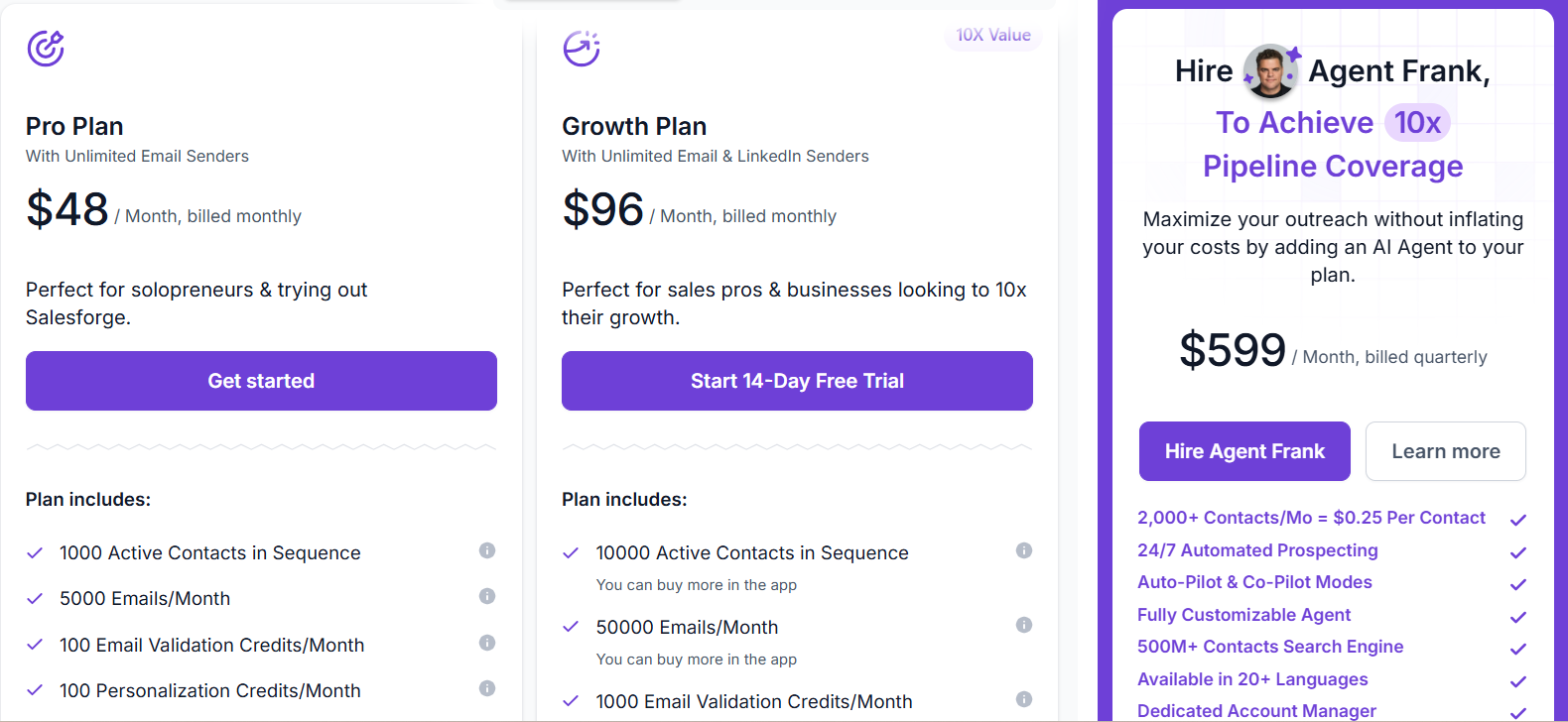
This image shows the Salesforge pricing- Pro Plan: $48/month, includes 1,000 active contacts, 5,000 emails per month, 100 validation credits, 100 personalization credits.
- Growth Plan: $96/month, includes 10,000 active contacts, 50,000 emails per month, 1,000 validation credits, 1,000 personalization credits.
- Agent Frank (AI SDR): $499/month, billed quarterly. Manages up to 1,000 active contacts and automates prospecting, outreach, and follow-ups.
- Leadsforge (Add-On Database): $49/month, includes 2,000 export credits and access to 500M+ contacts.
Pros of Salesforge
- Unlimited mailboxes and unlimited LinkedIn senders (Growth plan)
- Built-in unlimited warm-up (powered by Warmforge)
- Multi-channel outreach (Email + LinkedIn)
Cons of Salesforge
- Leadsforge database not included in base plan
- Infrastructure may require additional cost
- Warm-up period recommended before sending
Personalized Outbound Strategy
Get The Right Outbound Strategy In Minutes
Enter your email to get a custom plan & stack recommendation for your
business
It's being carefully crafted by AI
Please check your mailbox in 5 minutes

2. ZoomInfo
This image shows the ZoomInfo homepageZoomInfo is a B2B contact and company database used by sales and marketing teams to find verified business data at scale.
When I log in, I can search for companies and decision-makers.
You can use filters like job title, industry, company size, revenue, and location.
It also offers AI tools like Copilot, conversation intelligence (Chorus), website chat, and CRM enrichment.
ZoomInfo is a full sales intelligence platform built mainly for mid-size and enterprise teams.
How to Buy & Export Email Lists
To buy and export an email list in ZoomInfo:
- Log in to ZoomInfo using a paid plan or free trial
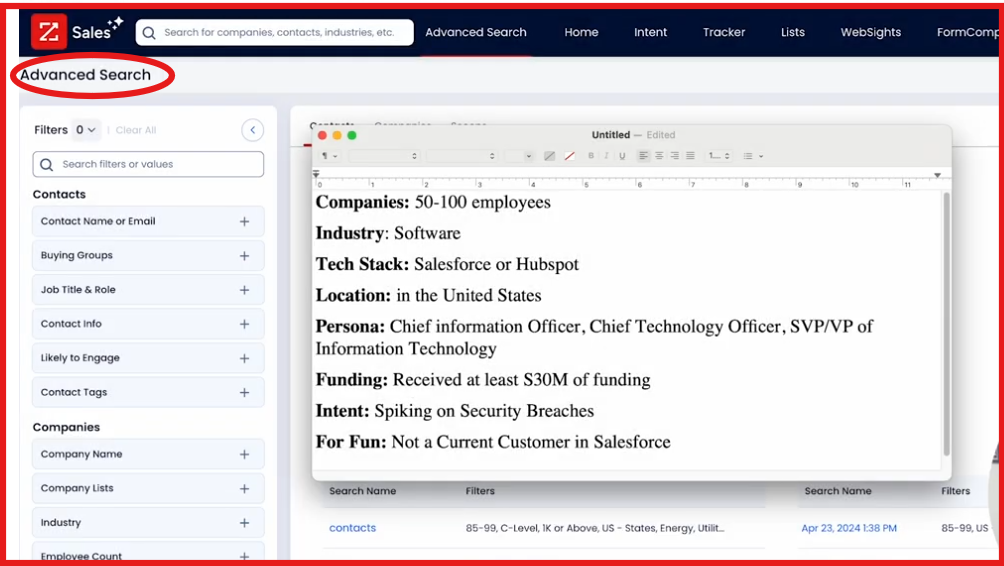
- Go to “Advanced Search”
This image shows the Go to Advanced search on ZoomInfo - Apply filters based on your ICP (job title, industry, company size, revenue, location, etc.)
- Select the required contacts
- Export the list instantly
Exports are credit-based and depend on your subscription plan.
ZoomInfo Pricing
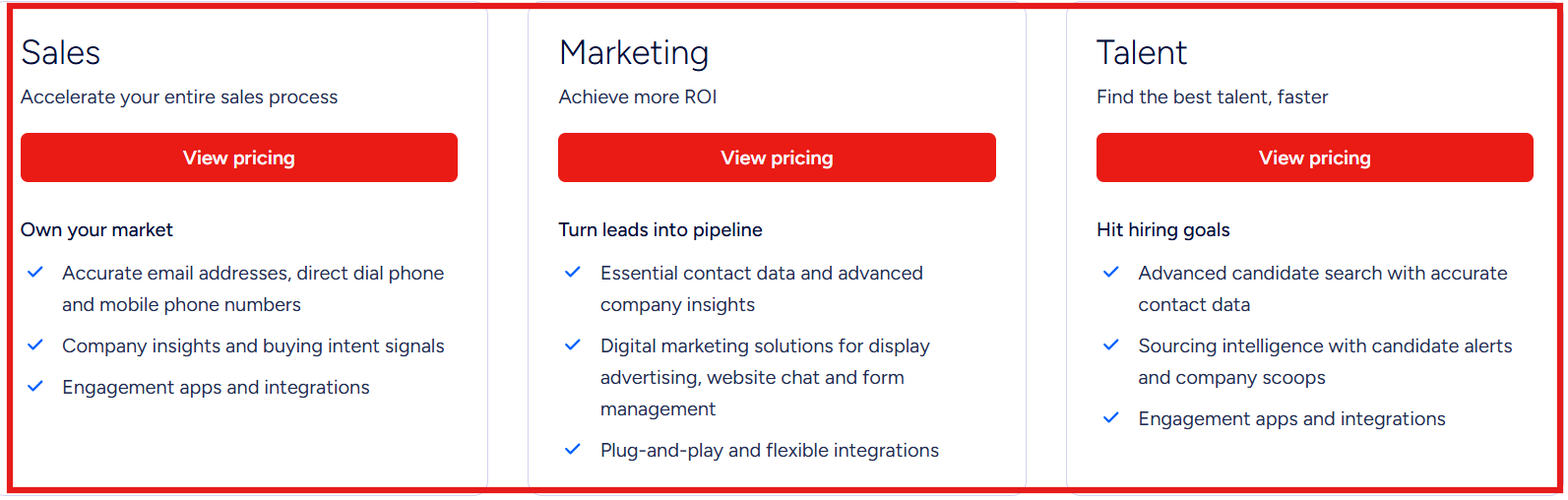
This image shows the ZoomInfo pricingZoomInfo does not publish fixed monthly pricing. Pricing depends on:
- Number of licenses (users)
- Number of credits (exports)
- Features included (SalesOS, MarketingOS, Copilot, Intent, etc.)
- Integrations can affect pricing
Pros of ZoomInfo
- Very large B2B database (600M+ professional profiles captured)
- Strong buyer intent data
- Deep company insights (org charts, tech stack, revenue, funding)
Cons of ZoomInfo
- Expensive compared to SMB tools
- Annual contract required in most cases
- Credit-based export system
3. Apollo
This image shows the Apollo.io homepageApollo is a B2B contact database and outbound sales platform used by sales teams.
It finds verified contacts and run email campaigns at scale.
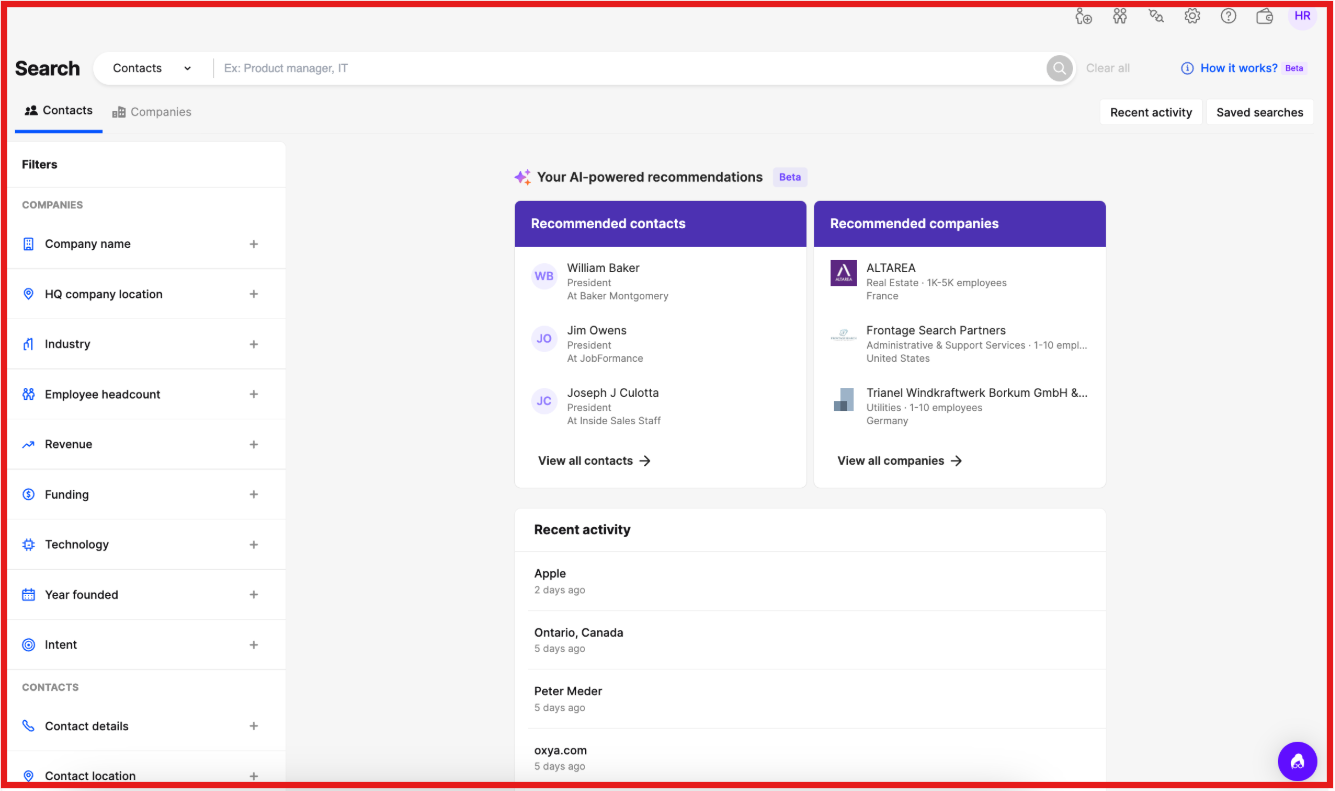
I can search for companies and decision-makers.
I can use filters like job title, industry, company size, revenue, location, technologies, and buying intent.
It also includes built-in tools like email sequences, AI email writing, call dialer, CRM sync, and deliverability monitoring.
How to Buy & Export Email Lists
To buy and export an email list in Apollo:
- Sign up for Apollo via a paid plan or free trial
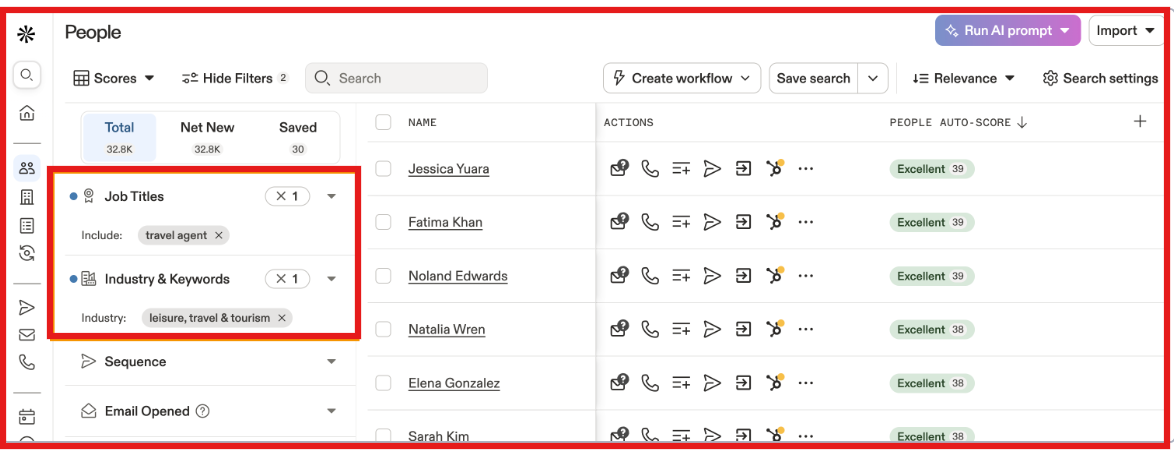
- Go to the “People” section
This image shows the Go to the people section on Apollo- Use 65+ filters to define your ICP (job title, industry, company size, etc.)
- Select prospects from the results
- Export verified emails (or all data) as CSV
Exports use credits based on your plan.
Apollo Pricing
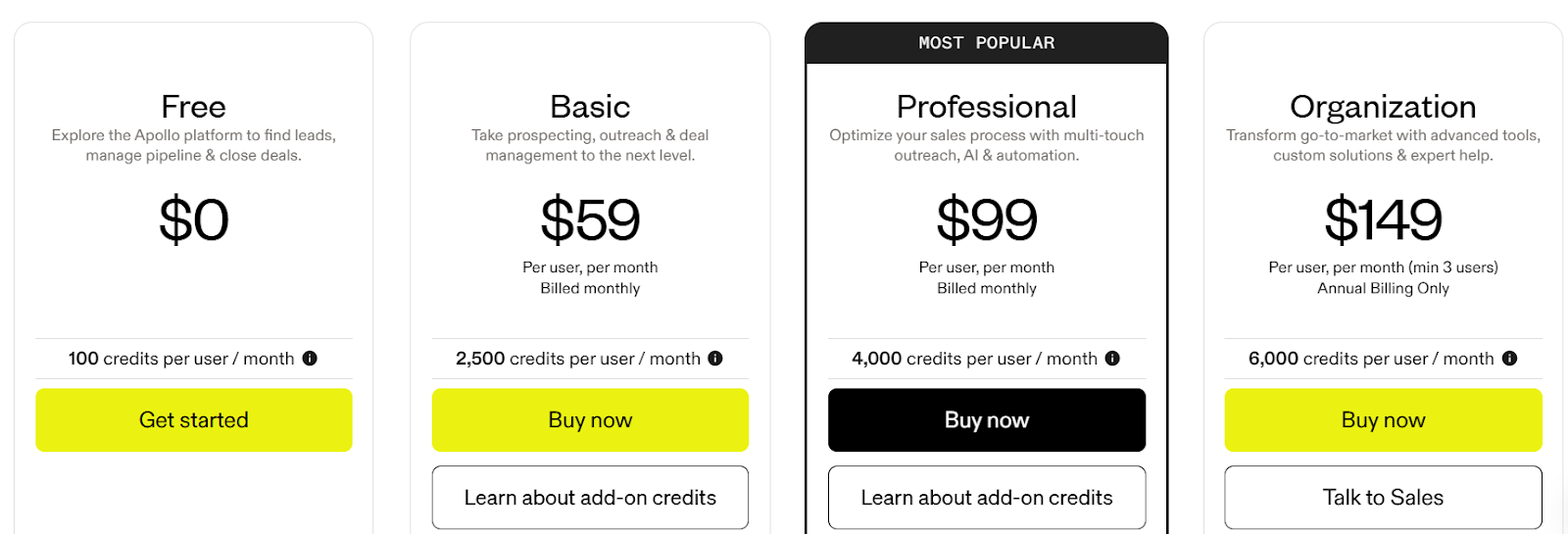
This image shows the Apollo.io pricing- Free Plan: $0/month, includes 100 credits per user
- Basic Plan: $59/month per user, 2,500 credits
- Professional Plan: $99/month per user, 4,000 credits
- Organization Plan: $149/month per user (min 3 users), 6,000 credits
Annual billing offers discount compared to monthly.
Pros of Apollo
- Built-in email sequencing
- Email warm-up and deliverability tools
- Chrome extension for LinkedIn
Cons of Apollo
- Deliverability depends on proper domain setup
- Advanced features require higher plans
- High-volume sending requires multiple mailboxes
4. Cognism
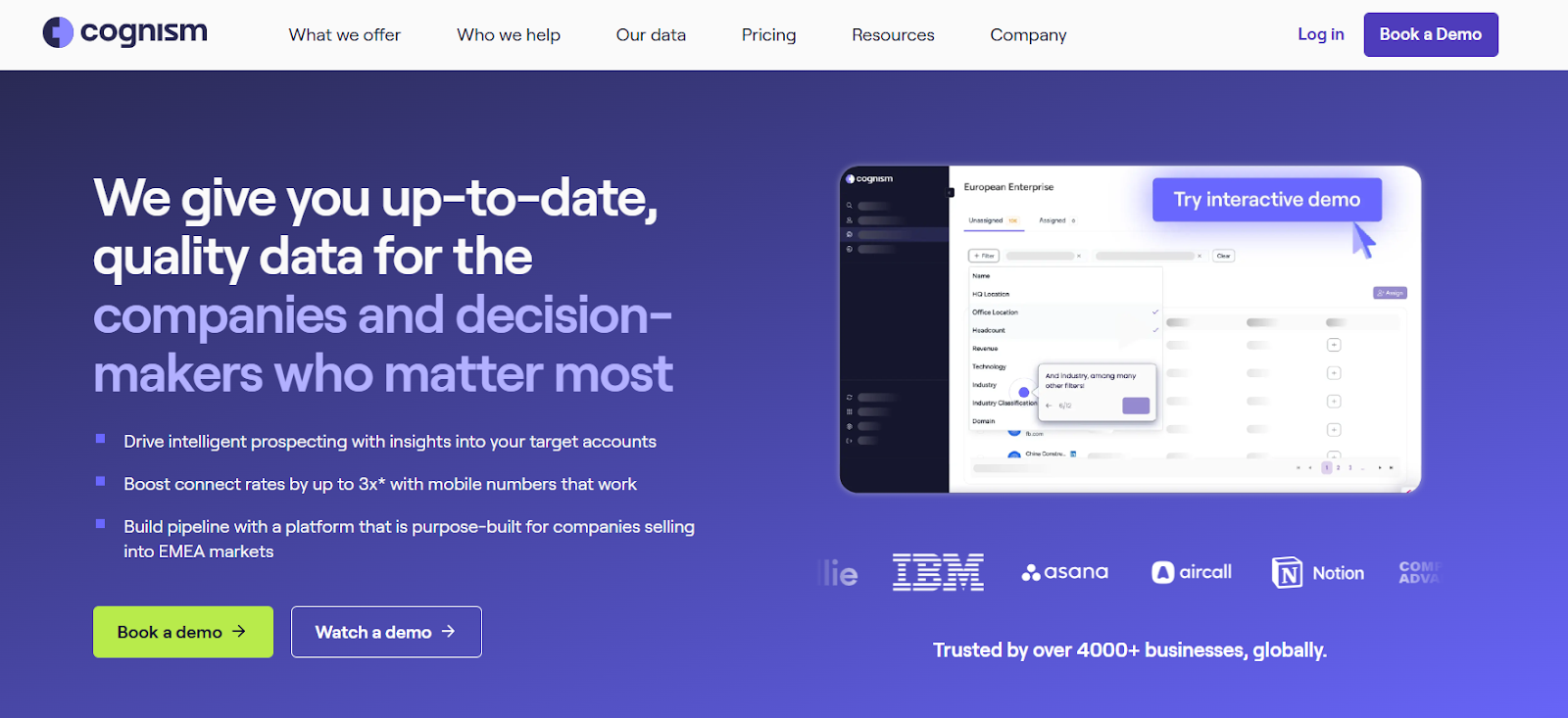
This image shows the Cognism homepageCognism is a B2B contact data platform built mainly for teams selling into Europe (EMEA), UK, and US markets.
It gives access to business emails and phone numbers of decision-makers.
I can search companies and senior decision-makers using filters.
It also offers phone-verified mobile numbers called Diamond Data® to improve connect rates.
How to Buy & Export Email Lists
To buy and export an email list in Cognism:
- Get in touch with the sales team for pricing
- Sign up and log in
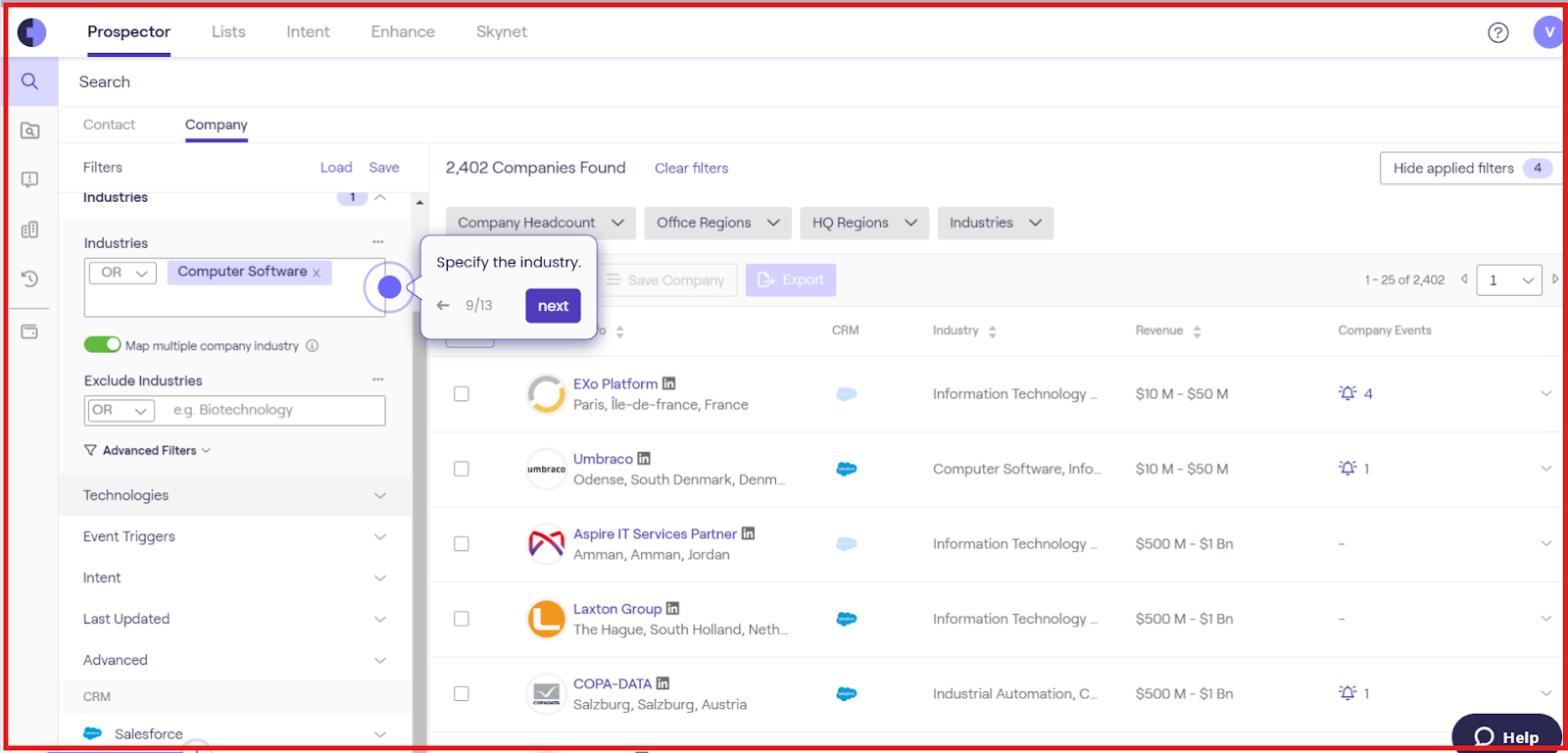
- Go to Prospector
This image shows the Go to Prospector on Cognism- Use filters (job title, location, industry, company size, etc.)
- Select contacts
- Export contacts to CSV or push to your CRM
Exports work on a credit or license basis, depending on your contract.
Cognism Pricing
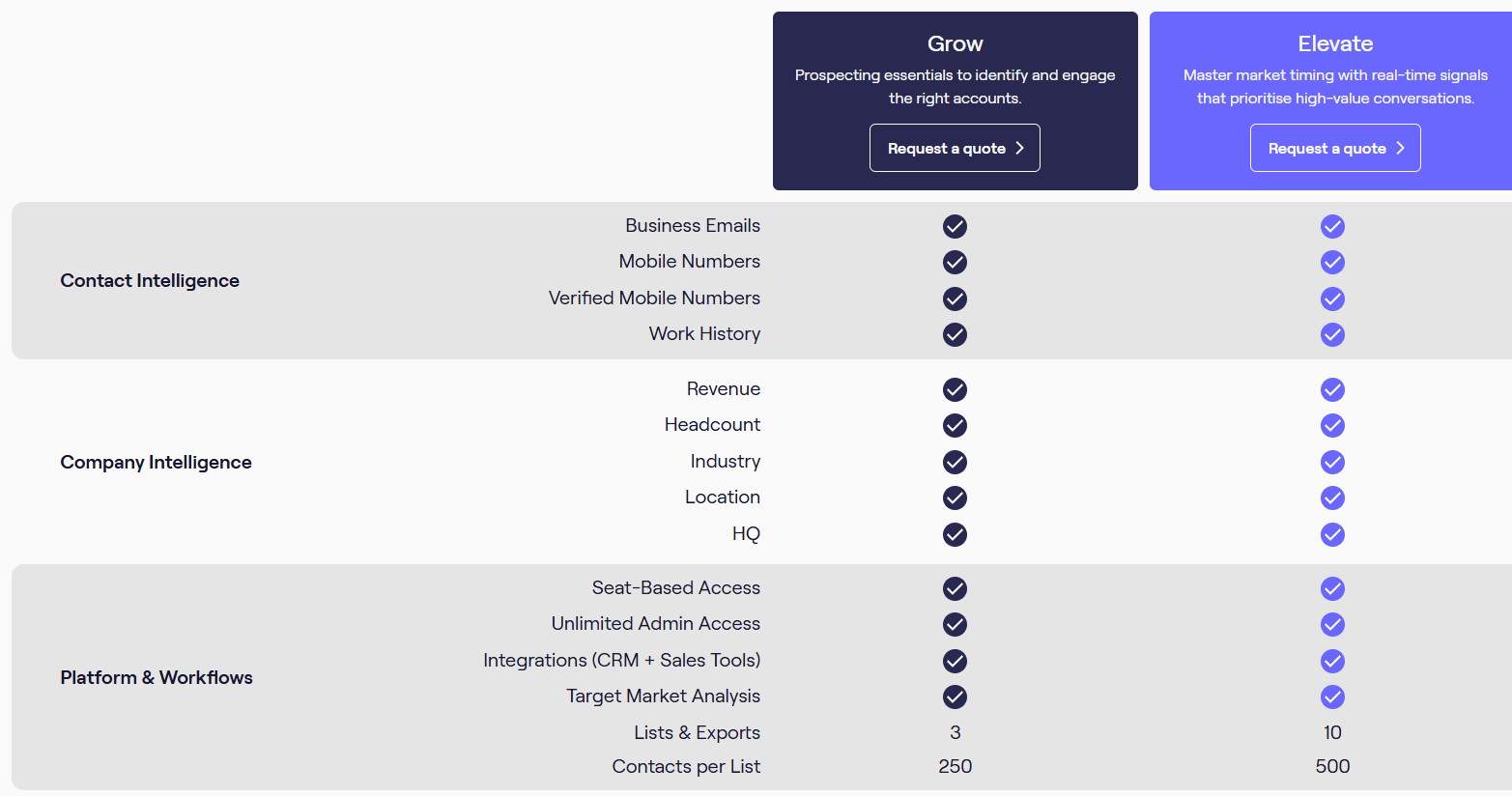
This image shows the Cognism pricing- Pricing is custom (no public monthly price listed)
- License-based pricing model
- Packages include Grow and Elevate
- Diamond Data® available in higher-tier packages
- Annual contracts are common
Pros of Cognism
- Access to decision-maker emails and mobiles
- Phone-verified mobile numbers (Diamond Data®)
- Do-Not-Call list screening
Cons of Cognism
- No public pricing transparency
- Must contact sales for quote
- Annual contract structure common
- No public pay-as-you-go option listed
5. Saleshandy
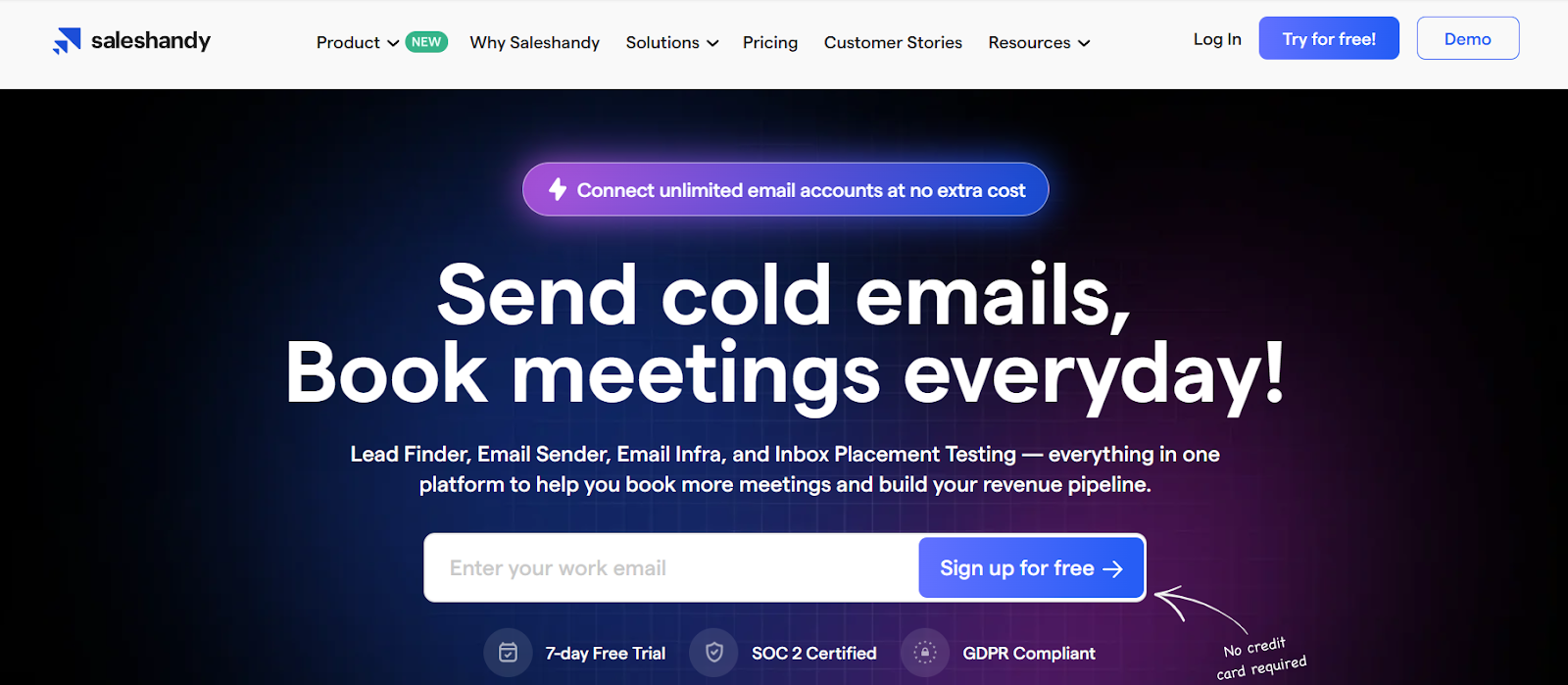
This image shows the Saleshandy homepageSaleshandy is a cold email outreach platform that also includes a built-in Lead Finder.
When I use Saleshandy for email lists, I am not buying a static file.
I search inside its database of 700M+ contact profiles and 60M+ companies.
I can filter by title, company size, location, and other attributes.
The platform gives verified emails and phone numbers.
It also includes sending, infrastructure, and inbox tools in the same system.
How to Buy & Export an Email List
- Log in to Saleshandy
- Go to Lead Finder
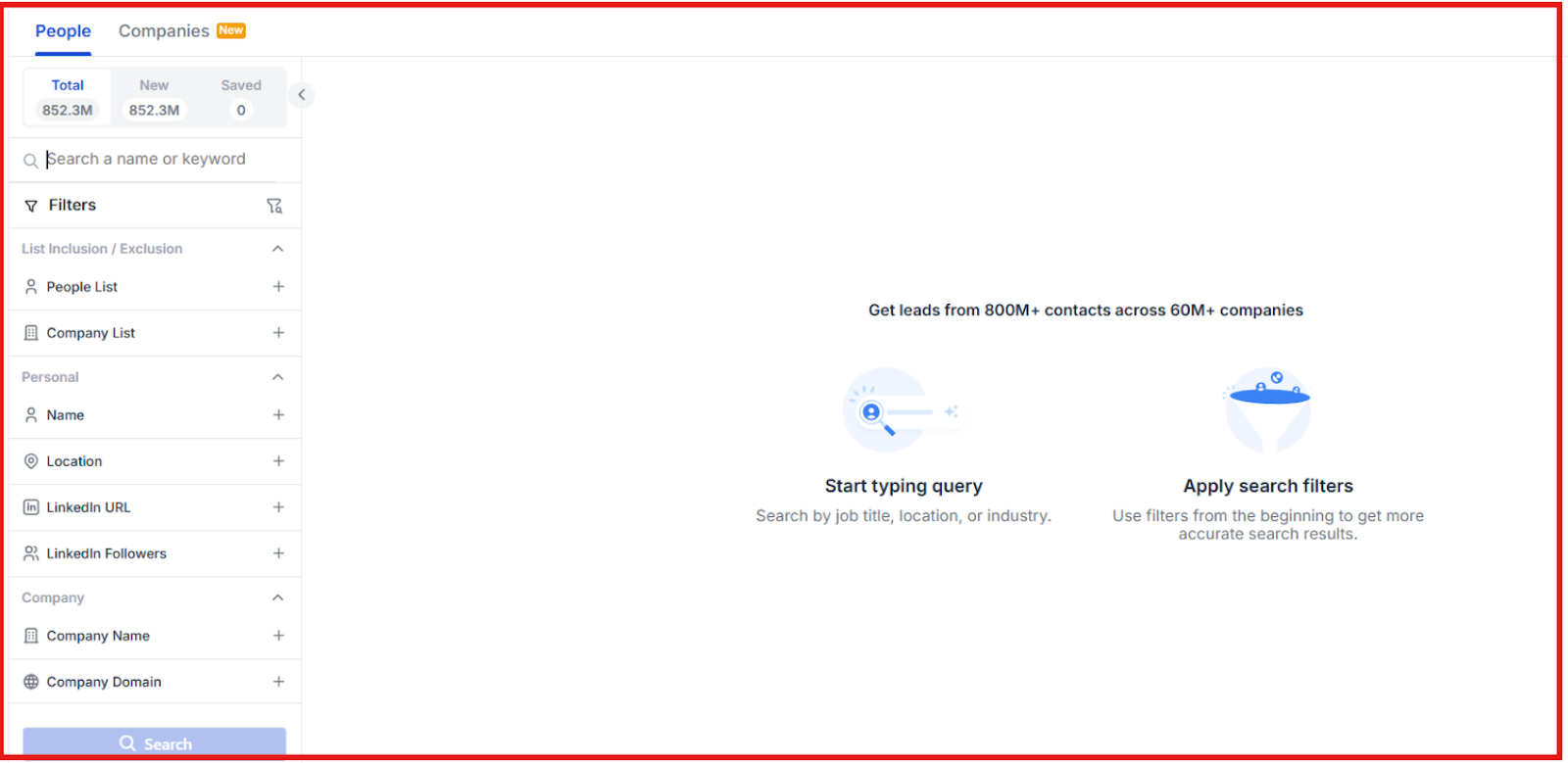
- Apply filters or use AI to match your ICP
This image shows the Apply filters on Saleshandy Lead finder- Select verified contacts
- Export as CSV
- Or add leads directly into your email sequence or CRM
Exports are credit-based depending on your plan.
Saleshandy Lead Finder Pricing
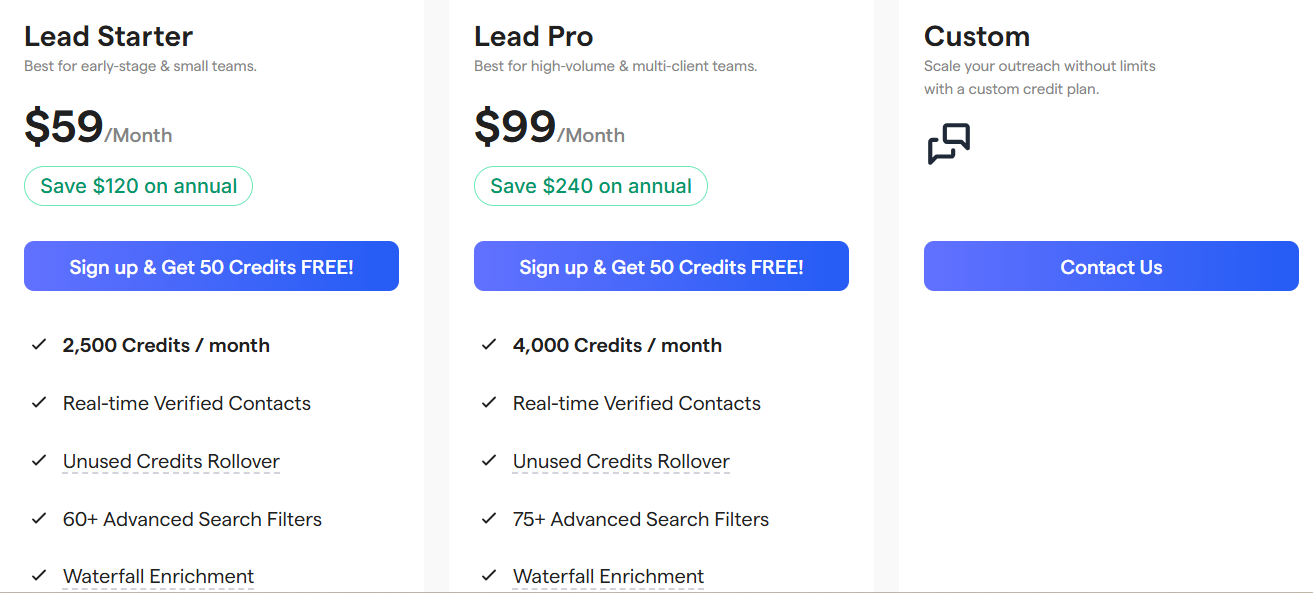
This image shows the Saleshandy lead finder pricing- Lead Starter: $59/month, 2500 credits
- Lead Pro: $99/month, 4,000 credits
- Custom: Custom credit plans
Unused credits roll over to the next month.
Pros of Saleshandy
- Large database (700M+ profiles, 60M+ companies)
- Includes work and personal emails
- Advanced filters for targeting
- Can move leads directly into outreach
Cons of Saleshandy
- Higher volume exports increase cost
- Mainly designed for cold email users
6. UpLead
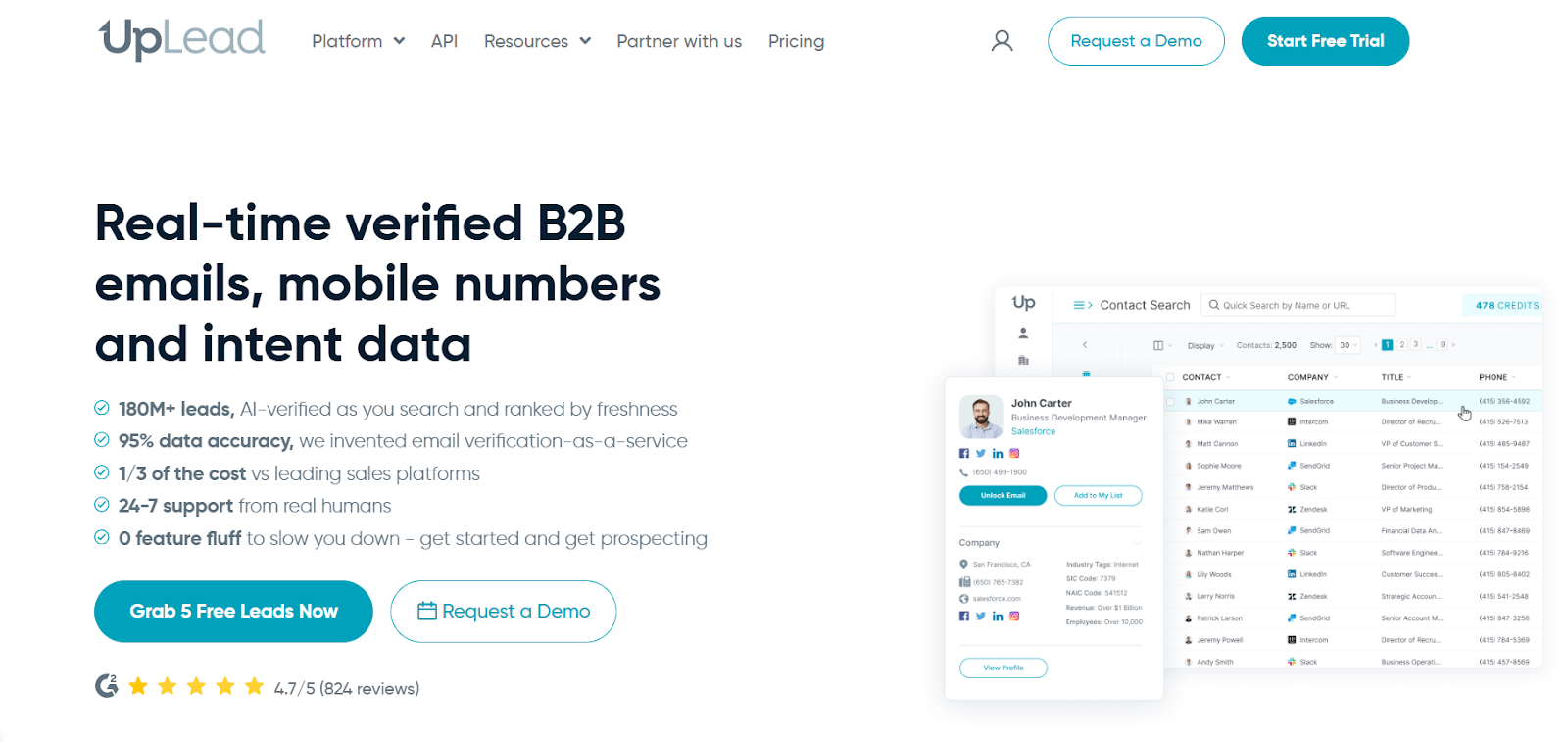
This image shows the UpLead homepageUpLead is a B2B contact database focused on verified emails and phone numbers.
UpLead offers a 95% accuracy guarantee.
If the data is not accurate, credits are refunded.
It also includes mobile direct dials, technographics, and intent data.
From an email list view, the main value is clean, verified exports.
How to Buy & Export an Email List?
- Log in using a paid plan or free trial
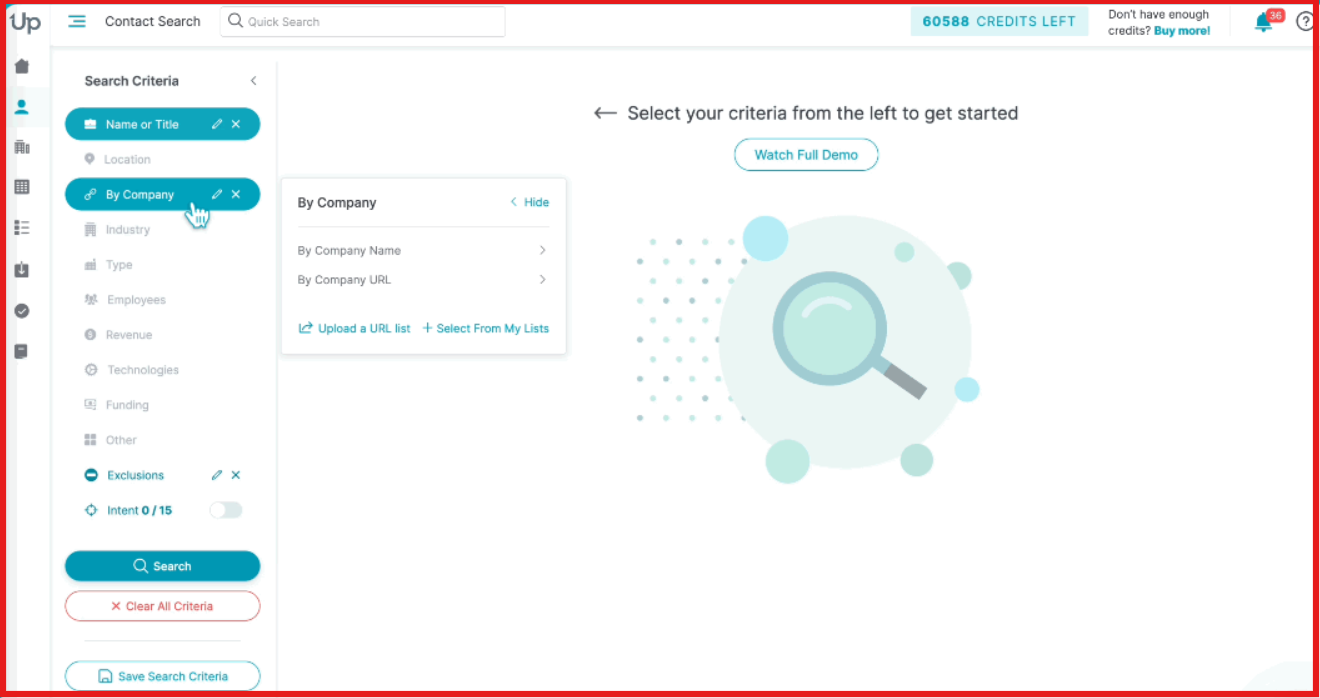
- Go to Contact Search
This image shows the Go to contact search on UpLead- Apply filters based on your ICP
- Select the contacts you need
- Click Download
- Can export only verified emails or all emails
Each exported contact uses 1 credit.
UpLead Pricing
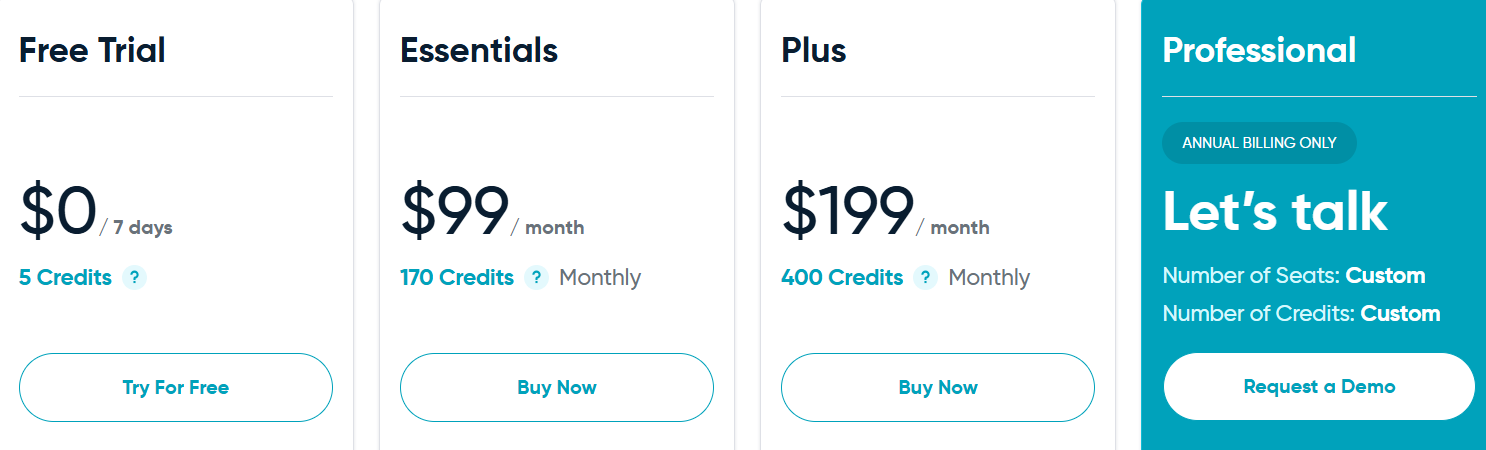
This image shows the UpLead pricing- Free Trial: $0 for 7 days, 5 credits
- Essentials: $99/month, 170 credits
- Plus: $199/month, 400 credits
- Professional: Annual billing only, custom credits
- Additional credits: $0.60 per credit (Essentials), $0.50 per credit (Plus)
One credit unlocks one contact for download.
Pros of UpLead
- Real-time email verification
- Credits refunded for bad data
- Mobile direct dial numbers available
Cons of UpLead
- Credit-based pricing
- Higher volume exports increase cost
- Advanced features locked in higher plans
7. Lusha
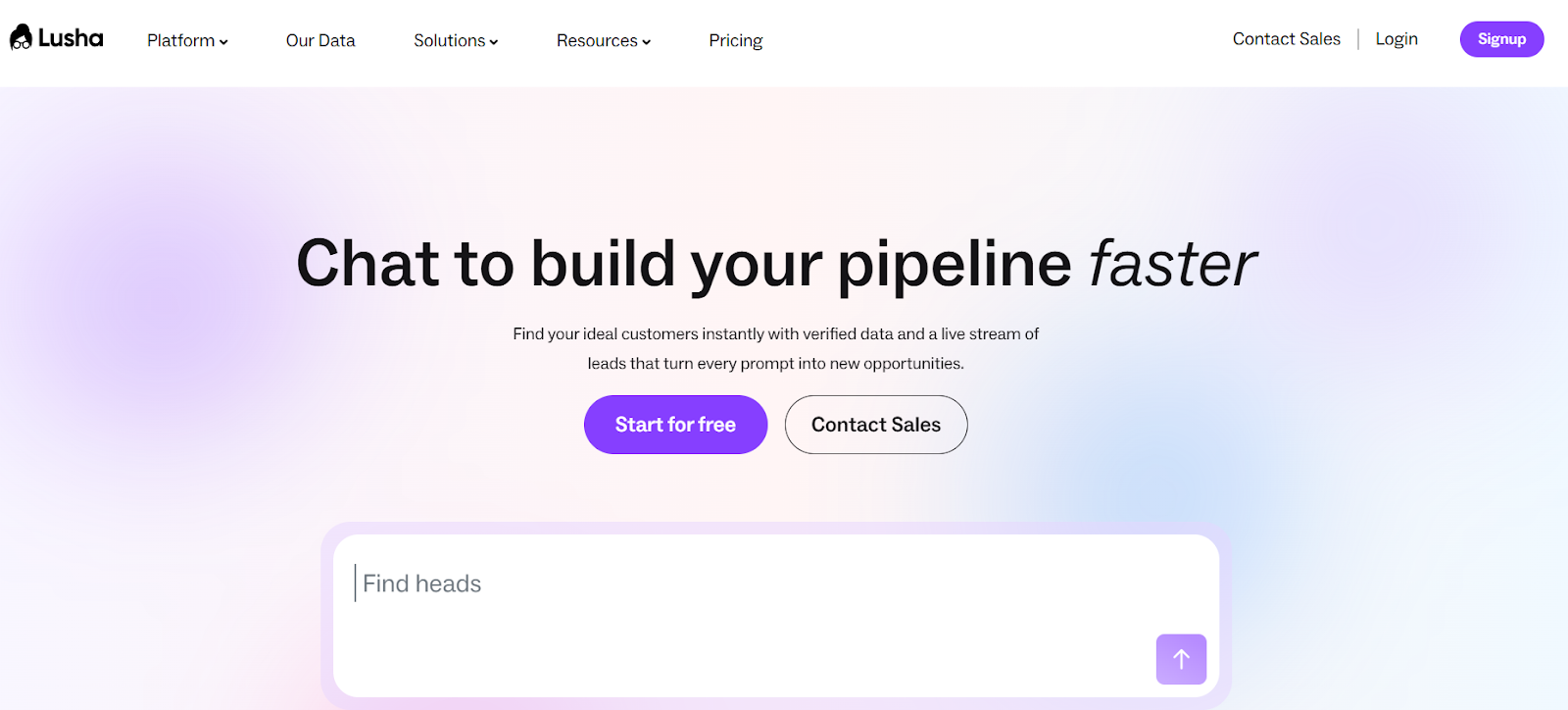
This image shows the Lusha homepageLusha is a B2B prospecting and contact data platform focused on direct dials and verified emails.
When I use Lusha for email lists, I search inside a database of 280M+ contacts.
It is strong for quickly revealing decision-maker emails and phone numbers.
It also includes AI search, intent signals, job change tracking, and CRM automation.
But from an email list perspective, I mainly use it to reveal and export verified contacts.
How To Buy & Export an Email List?
- Choose a plan based on how many credits you need
- Log in using a paid plan or free plan
- Go to Search (Contacts or Companies)
This image shows the Go to Lusha search- Apply filters based on my ICP
- Click Show details to reveal contact info
- Export to CSV or push directly to my CRM
Each reveal uses credits.
- 1 credit = reveal email
- 5 credits = reveal phone number
Lusha Pricing
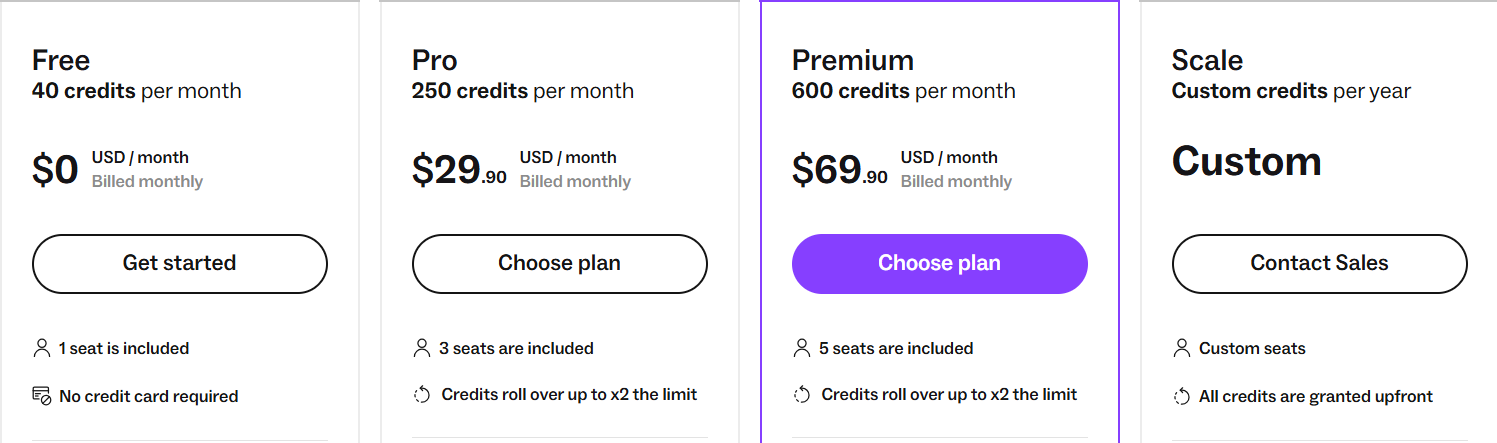
This image shows the Lusha pricing- Free: 40 credits/month - $0, 1 seat
- Pro: 250 credits/month - $29.90, 3 seats
- Premium: 600 credits/month - $69.90, 5 seats
- Scale: Custom credits - custom pricing (annual)
Credits roll over up to 2× the monthly limit (except Free).
Pros of Lusha
- GDPR & CCPA compliant
- CRM integrations (Salesforce, HubSpot, etc.)
- Intent data and job change filters
- AI-powered search and recommendations
Cons of Lusha
- Phone numbers cost 5× more credits than emails
- Higher volume exports increase cost
- Advanced features locked in Scale plan
8. RocketReach
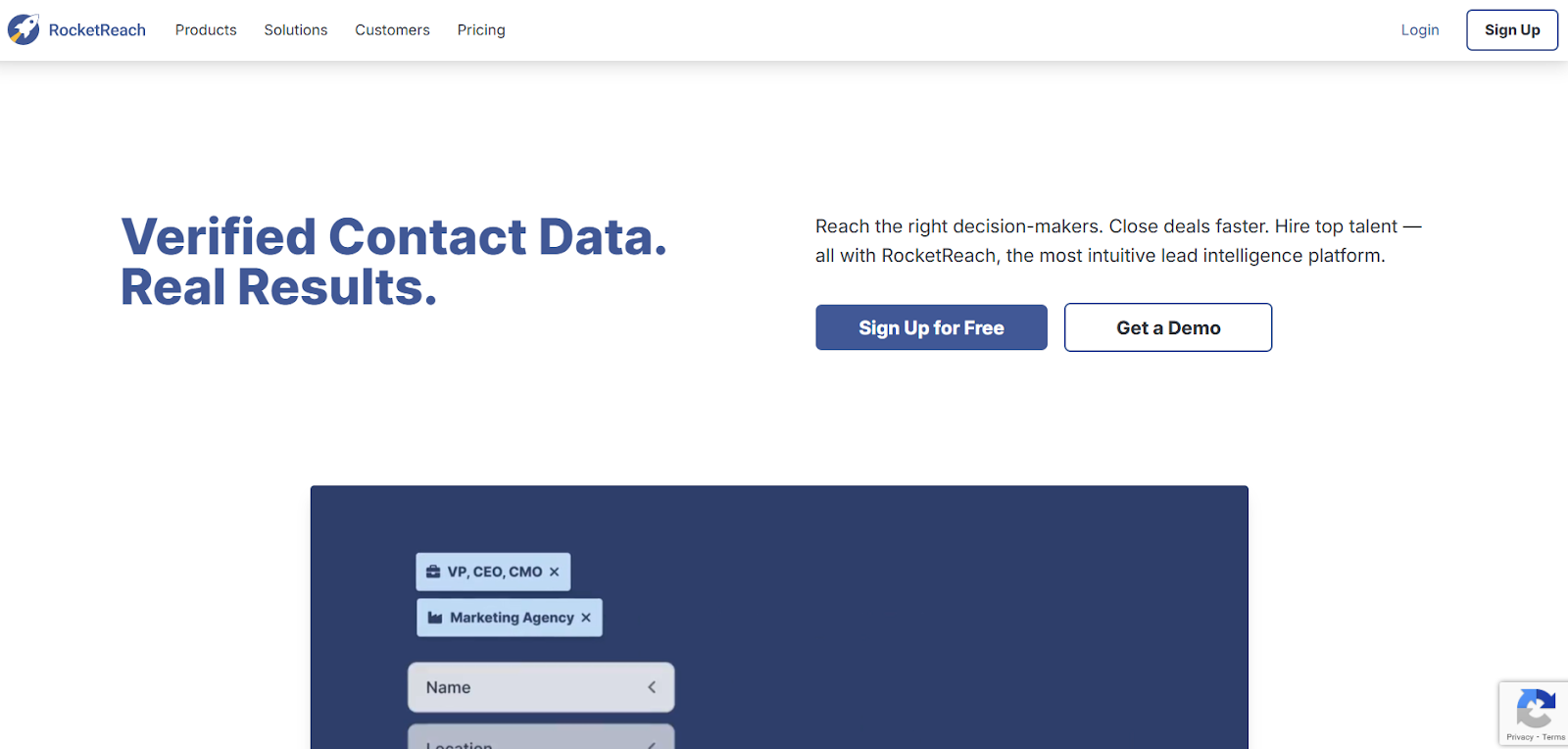
This image shows the Rocketreach homepageRocketReach is a B2B contact database used to find and export verified email lists.
It gives access to 700M+ professional profiles and 60M+ companies globally.
Emails are verified in real time before reveal.
A-grade emails claim up to 98% deliverability.
RocketReach works on a lookup credit system.
I only use credits when verified contact data is found.
How to Buy and Export an Email List?
To buy and export an email list in RocketReach:
- Sign up for a free account (includes 5 free lookups) or choose a paid plan
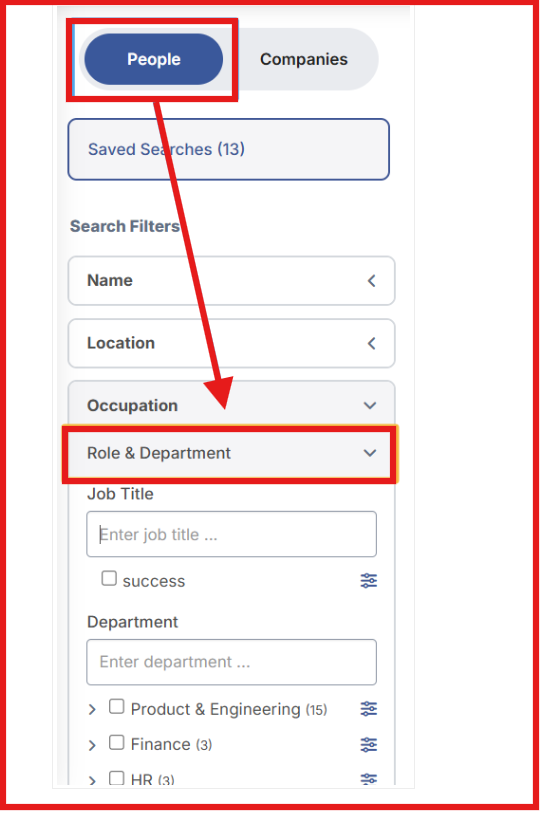
- Go to the “Search” section
This image shows the Go to search section on RocketReach- Apply filters like job title, industry, company size, and location
- Select contacts from the results
- Reveal verified emails using lookup credits
- Export selected contacts as CSV or sync them to your CRM
Lookup credits are deducted only when verified data is provided.
If no verified email or phone is found, the lookup is refunded.
RocketReach Pricing
This image shows the Rocketreach pricing- Free Plan: $0/month, includes 5 free lookups
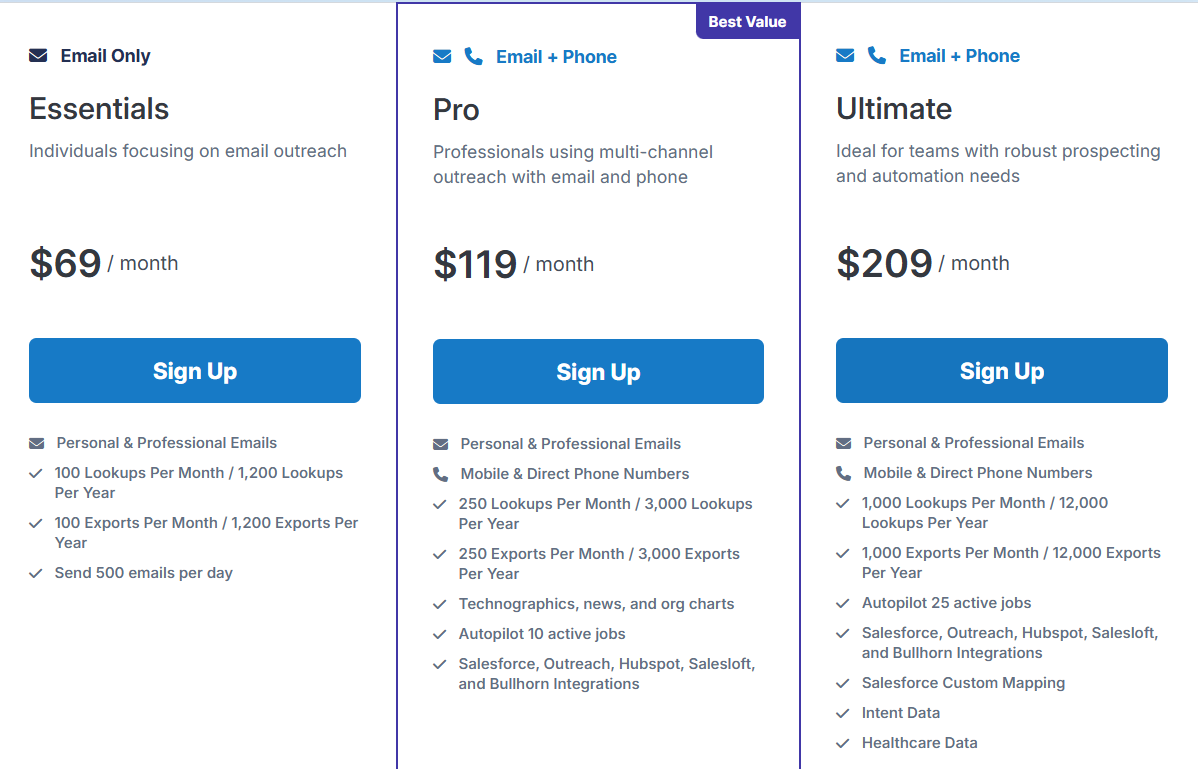
- Essentials Plan: $69/month, includes 100 lookups and 100 exports per month
- Pro Plan: $119/month, includes 250 lookups and 250 exports per month (email + phone, integrations)
- Ultimate Plan: $209/month, includes 1,000 lookups and 1,000 exports per month (intent data, advanced features)
- Additional lookups are billed if you exceed plan limits
- Annual billing offers discounted pricing
Pros of RocketReach
- Real-time email verification before credits are used
- Lookup credits refunded if no verified data is found
- Chrome extension for LinkedIn and websites
Cons of RocketReach
- Credit-based system can become expensive at high volume
- Phone lookups consume more credits
- Advanced signals limited to higher plans
9. Lead411
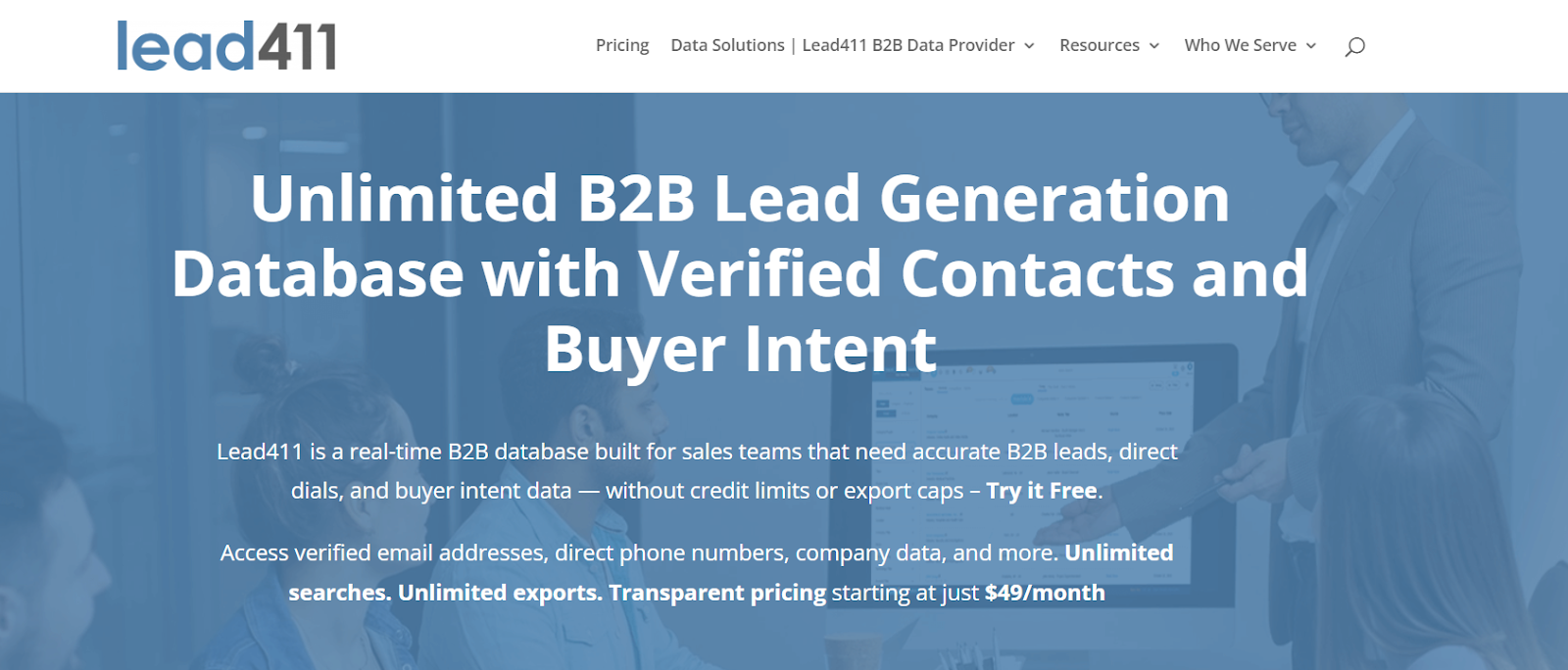
This image shows the Lead411 homepageLead411 is a B2B email database and sales intelligence platform built for teams that want verified contact lists, not scraped bulk data.
From an email list perspective, it lets me search for decision-makers.
It uses advanced filters like job title, industry, company size, and growth signals.
Emails are triple-verified (SMTP validation, AI checks, and human verification).
The platform claims a 96% average deliverability rate when best practices are followed.
Lead411 offers unlimited search capabilities on select plans.
However, exports are limited based on my plan (for example, 1,000 exports per month on the $49 Spark plan, with rollover included).
How to Buy and Export an Email List?
- Log in to Lead411 using a free trial or an active paid plan
- Navigate to the Search section
- Apply filters to match your ICP (job title, industry, company size, location, etc.)
- Click “Research Email” to reveal verified contact emails
- Select contacts and export them based on your plan limits
- Email lookups are unlimited (no daily or monthly caps)
- However, exports are limited and depend on your subscription plan
Lead411 Pricing
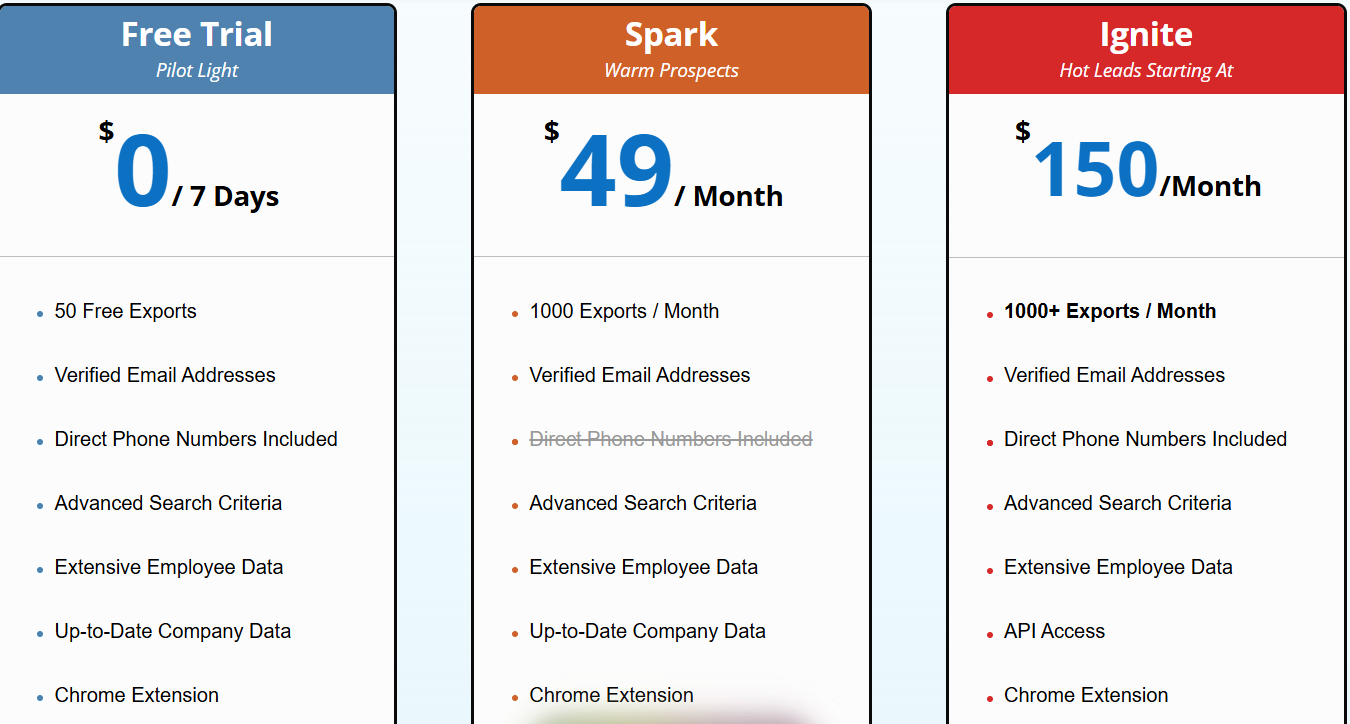
This image shows the Lead411 pricing- Free Trial: $0 for 7 days, includes 50 free exports
- Spark Plan: $49/month, includes 1,000 exports per month
- Blaze Plan: Custom pricing, 1,000+ exports per month
- Annual subscriptions include Buyer Intent and unlimited data options
- Unused exports roll over to the next billing cycle
Pros of Lead411
- Verified email addresses and direct dial phone numbers included
- Triple-verified email process (SMTP + AI + human validation)
- Growth Intent data and Bombora intent integration available
Cons of Lead411
- Unlimited exports available only on select annual plans
- Some advanced features tied to annual subscriptions
- Deliverability claim depends on proper messaging practices
- International coverage limited to specific listed countries
10. Hunter.io
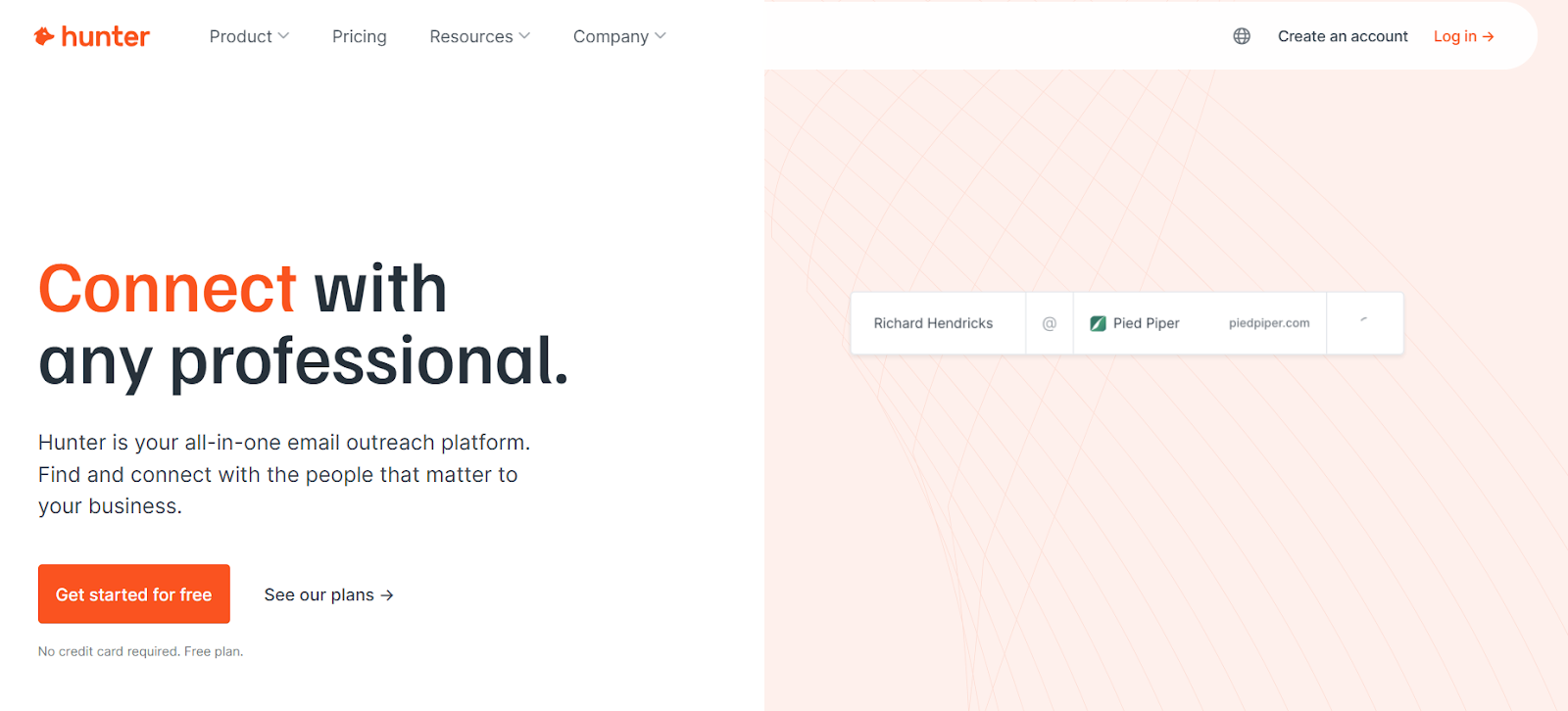
This image shows the Hunter.io homepageHunter is a B2B email discovery platform that lets me build and export verified email lists using a credit-based system.
From an email list perspective, I use Discover to search companies with filters like industry, company size, and location.
Then I use Domain Search or Email Finder to reveal professional email addresses.
Each revealed or verified email uses credits.
Paid plans include auto-verification to reduce bounce risk.
How to Buy and Export an Email List?
- Log in using a free plan or a paid subscription
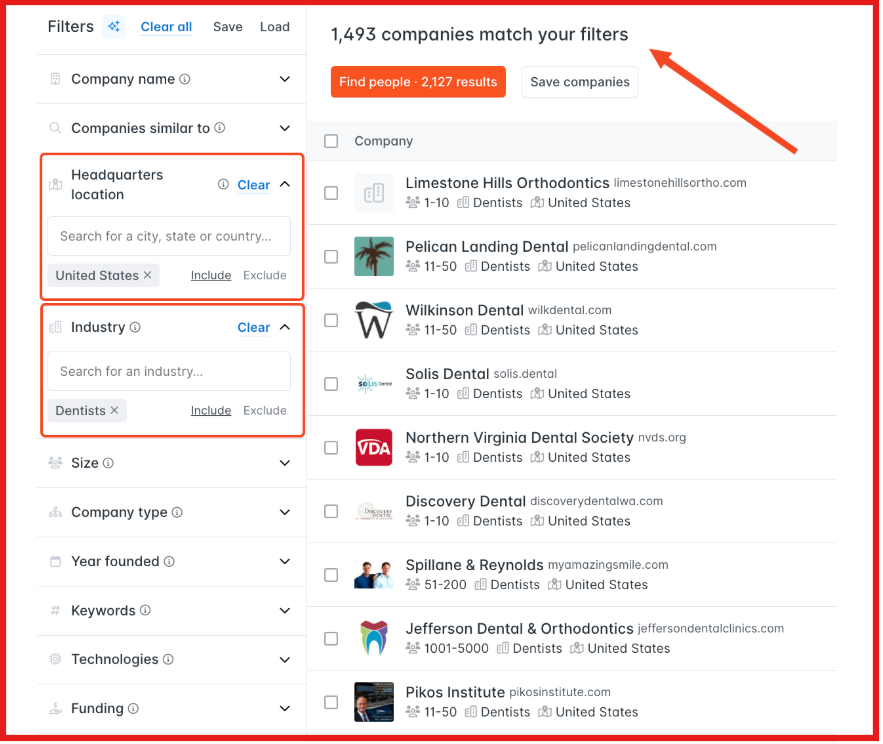
- Go to Discover (Hunter’s B2B database search)
- Apply filters to match your ICP (industry, company size, location, etc.)
- Select companies and click “Find people”
This image shows the Go to Discover on Hunter- Use credits to reveal verified email addresses
- Save contacts to a lead list
- Export selected leads as CSV
- Credits are deducted when you reveal or verify emails
Hunter Pricing
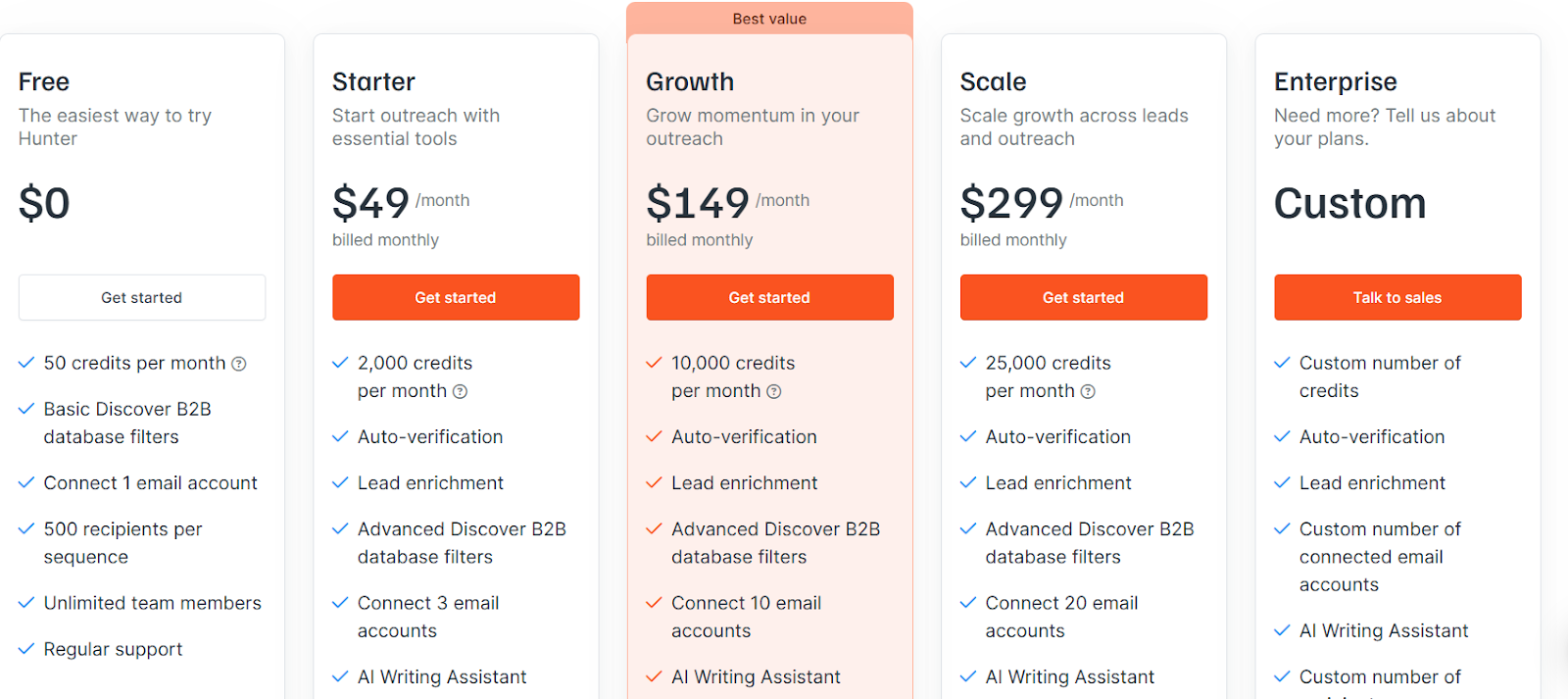
This image shows the Hunter pricing- Free Plan: $0, 50 credits per month
- Starter: $49/month, 2,000 credits per month
- Growth: $149/month, 10,000 credits per month
- Scale: $299/month, 25,000 credits per month
- Enterprise: Custom pricing, custom credits
- All plans include unlimited team members
- Credits are used for Email Finder, Email Verifier, and Domain Search
Pros of Hunter
- Auto-verification on paid plans
- Domain Search + Email Finder combined
- AI Writing Assistant included on paid plans
- Sends emails from Gmail or Outlook for better deliverability
Cons of Hunter
- Fully credit-based system (higher volume = higher cost)
- Discover database filters more limited on free plan
- Primarily email-focused (less phone data compared to some competitors)
11. Snov.io
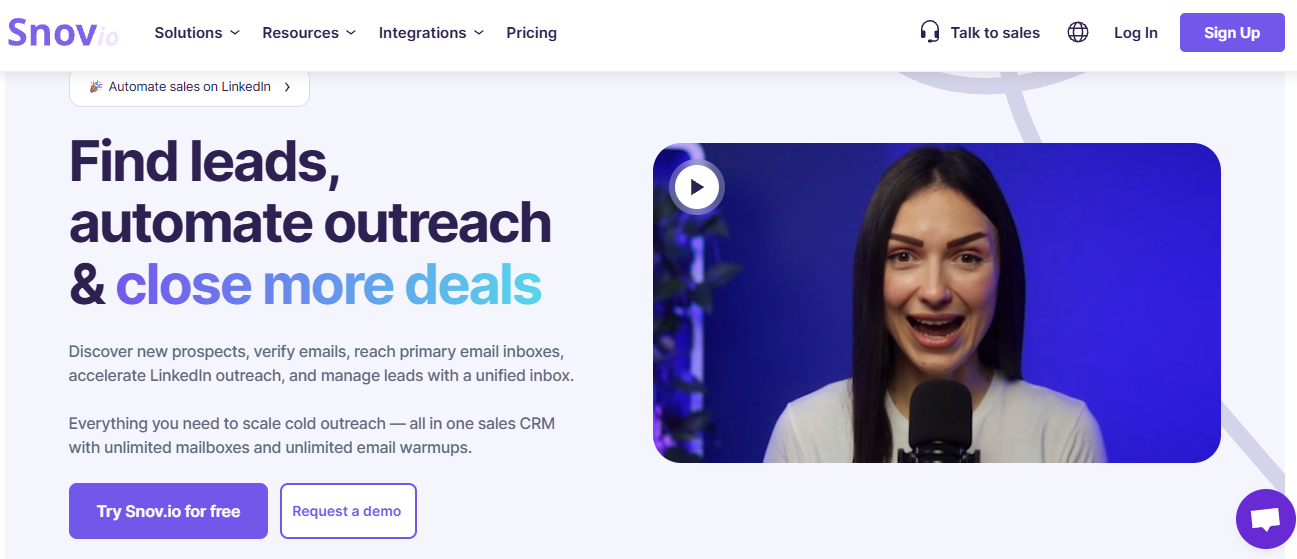
This image shows the Snov.io homepageSnov.io is a B2B lead generation and cold outreach platform.
It includes built-in email finding and verification tools.
I can search inside its database using tools like Database Search, Domain Search, and Email Finder.
The platform provides verified email addresses and supports bulk email verification (claimed up to 98% accuracy).
How to Buy and Export an Email List?
To buy and export an email list in Snov.io:
- Sign up for a free account or choose a paid plan
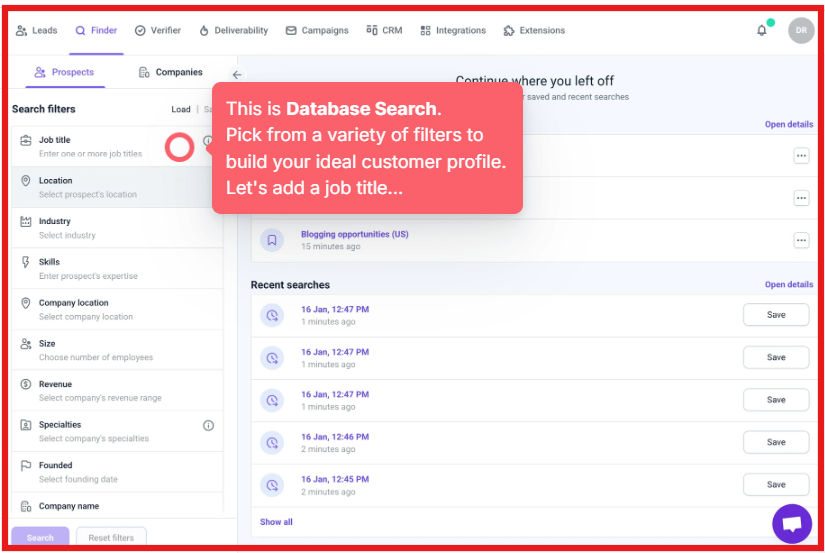
- Go to Database Search, Domain Search, or Email Finder
This image shows the Database search filter by Snov- Apply filters such as industry, job title, company size, and location
- Save selected prospects to a list
- Verify email addresses (if required) using credits
- Export selected contacts as a CSV file or sync them to your CRM
Bulk features such as Bulk Email Finder and Bulk Domain Search allow large-scale prospect list building.
Export availability depends on plan limits.
Snov.io Pricing
This image shows the Snov pricing- Free Plan – Limited monthly credits and limited recipients, no credit card required
- Starter Plan – Starts at $39/month, includes increased credits and recipient limits
- Pro Plans – Pricing scales based on recipient volume and credit usage
- Custom Plans – Available for teams and agencies
- LinkedIn Automation is available as an add-on
Annual billing provides discounted pricing.
Pros of Snov.io
- Built-in email warm-up and deliverability tools
- Unlimited sender accounts and mailbox rotation
- Bulk email finder and bulk domain search
Cons of Snov.io
- Credit-based system for email finding and verification
- LinkedIn Automation requires add-on activation
- Deliverability depends on proper DNS setup (SPF, DKIM, DMARC)
Personalized Outbound Strategy
Get The Right Outbound Strategy In Minutes
Enter your email to get a custom plan & stack recommendation for your
business
It's being carefully crafted by AI
Please check your mailbox in 5 minutes
Final Verdict: The 3 Best Places to Buy an Email List Right Now
As discussed, I prefer email list providers that give verified and accurate data.
If I look at price, filters, data quality, and ease of use,
These are the best places I would choose right now, Leadsforge, ZoomInfo,or, Apollo
For large enterprise teams that need deep intent data ZoomInfo and Cognism can work well.
But they are expensive and often require contracts.
For most outbound teams, I find it better to build targeted lists inside Leadsforge.
The data feels more focused because I control the ICP from the start.
After that, I move the leads into Salesforge and start email and LinkedIn outreach in one place.
I always verify emails before launching campaigns and keep compliance in mind.
If you want to start simple, build a small list in Leadsforge and test it inside Salesforge.




.jpg)

.jpg)

